Cold email software: Go to market with verified emails, AI openers, warm mailboxes and one inbox.
Names in, replies out. Fuzegenai finds the emails, writes the openers and sends from mailboxes that are already warm.
14-day trial, no credit card. Plans from $39 a month.
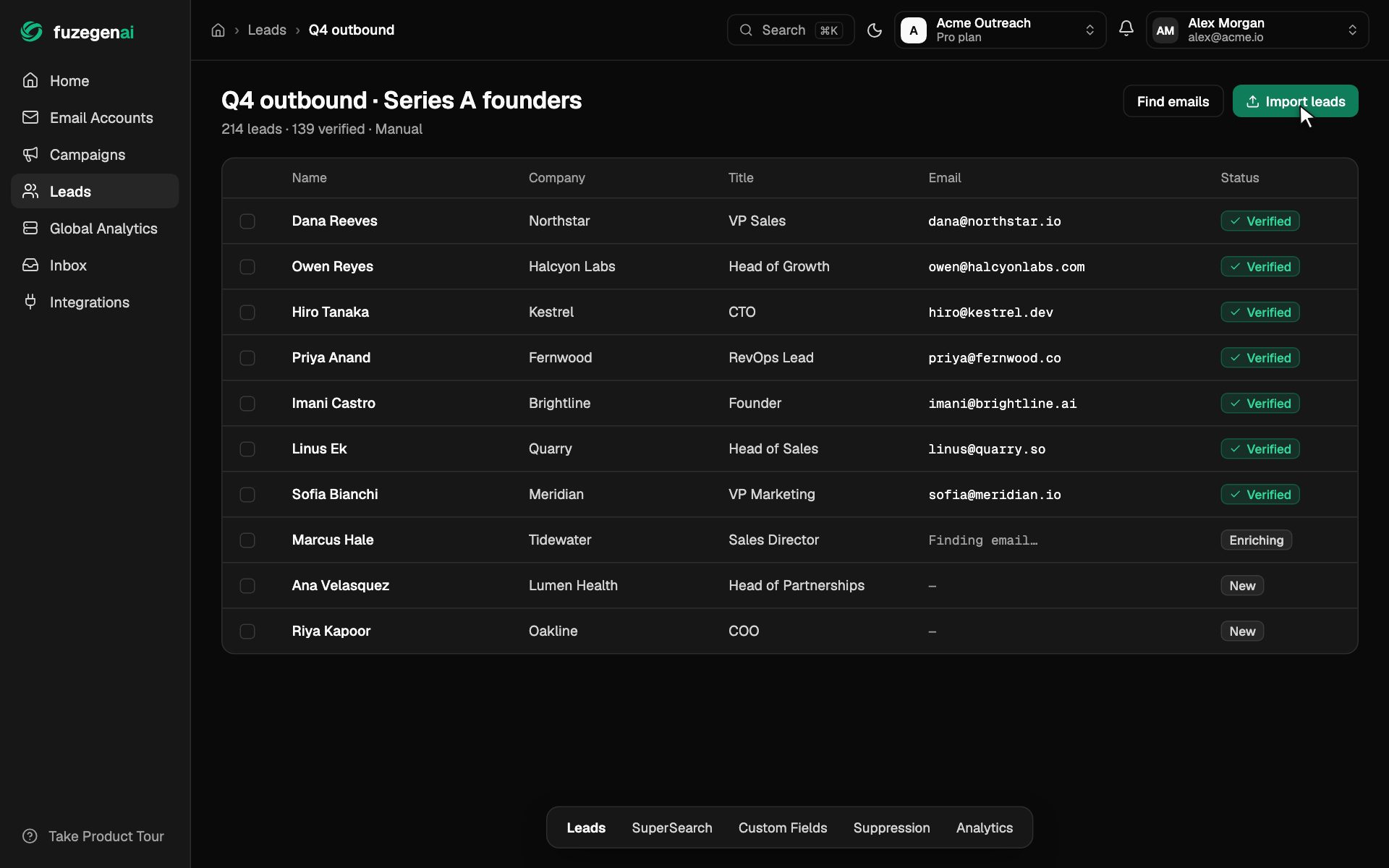
The real app, shown with sample data.
- Backed by
- Amazon Web ServicesActivate
- Used by

Works with the tools your team already uses
From a name to a booked meeting.
One campaign, start to finish, in the same app.
- 1
Build your pipeline
From a list of names to verified contacts.
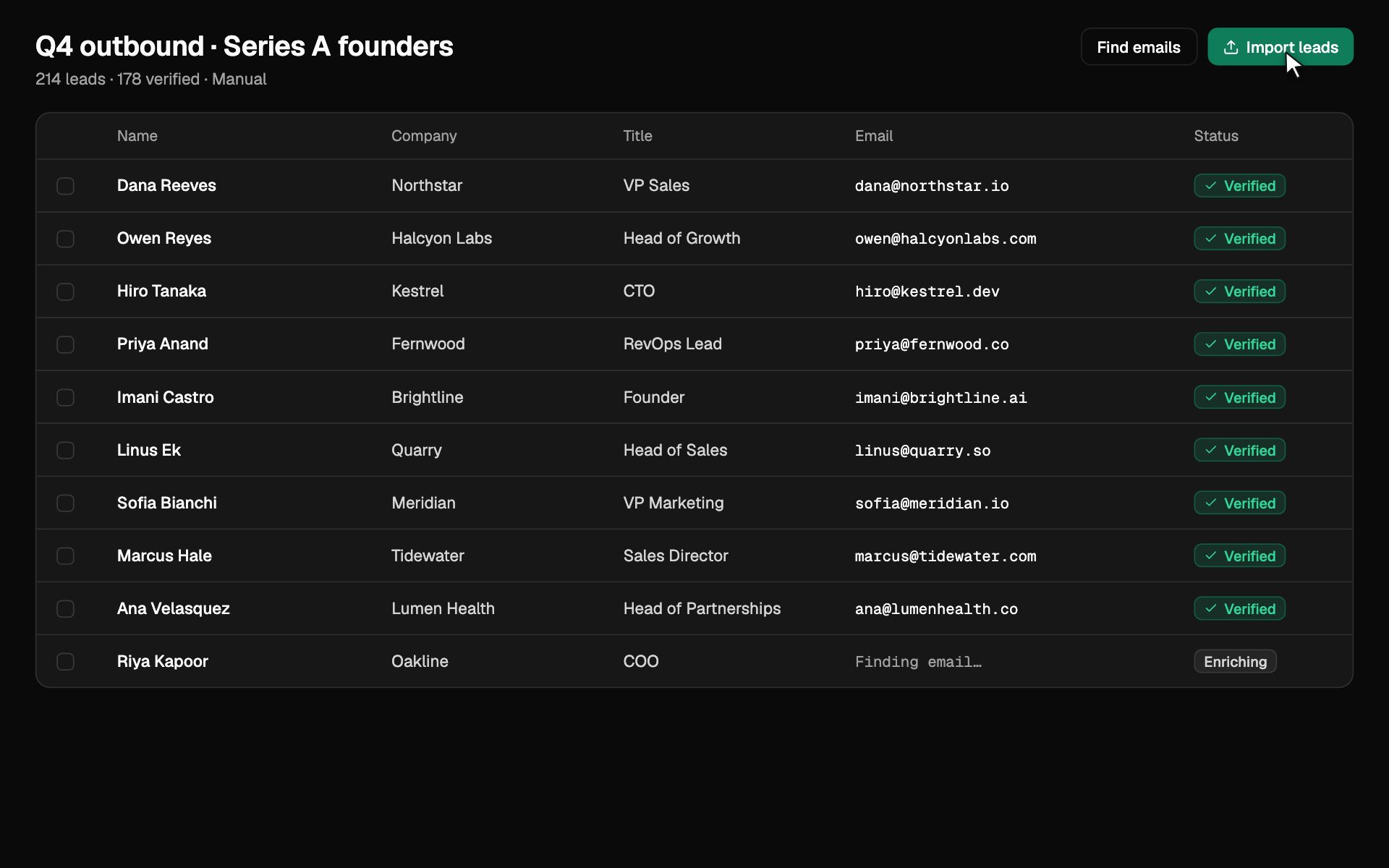
Import a list or find people. Fuzegenai finds each work email and checks it before anyone gets an email.
- Import a CSV, Apollo or your CRM
- Work emails found and verified
- Unverifiable addresses never sent to
- 2
Launch outreach
Every send checked. Every mailbox warm.
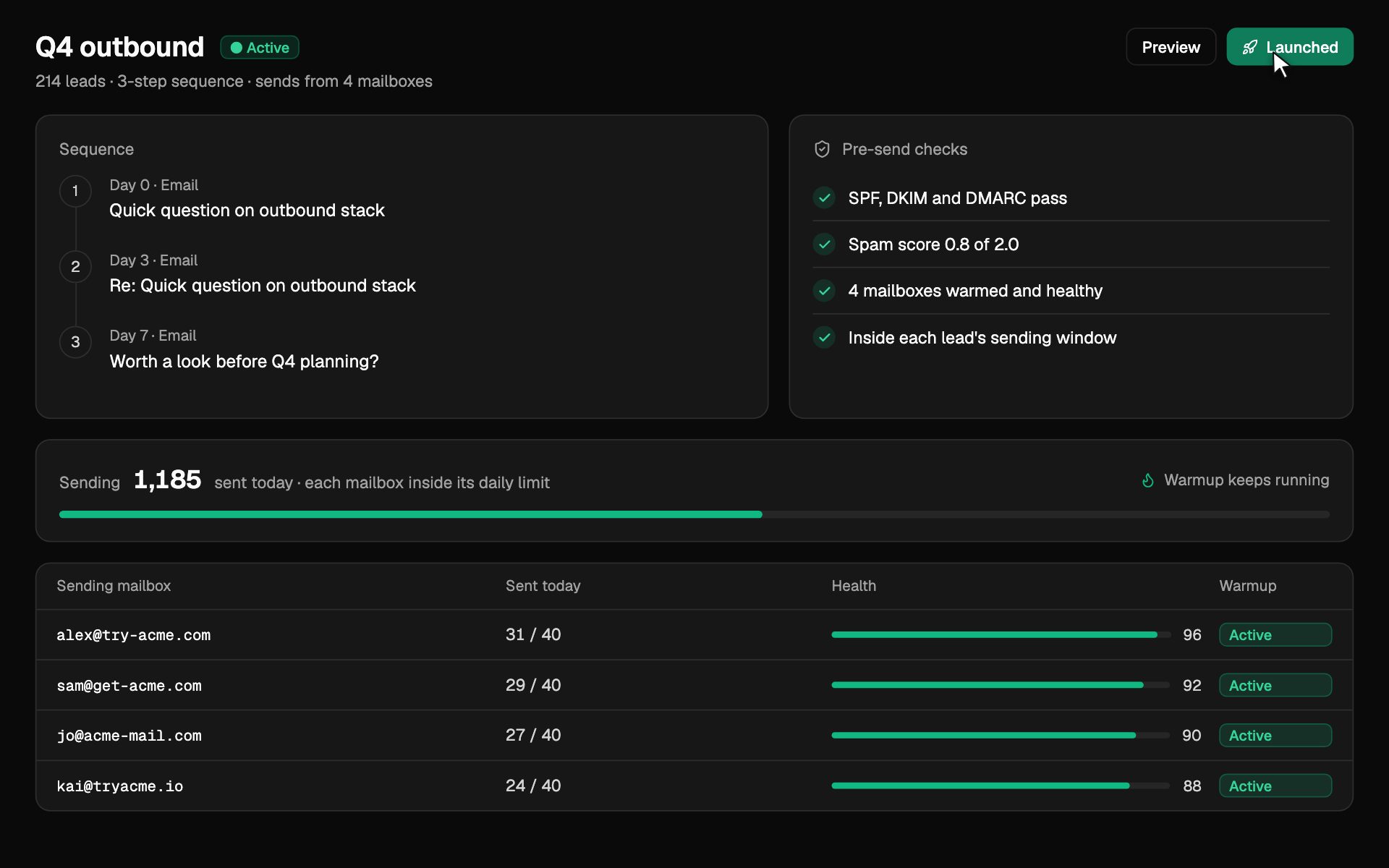
Write the sequence, then launch. Each email passes its checks and goes out from a healthy mailbox, inside its daily limit.
- SPF, DKIM, DMARC and spam score
- Warmup keeps every mailbox healthy
- Sent in each lead's own time zone
- 3
Handle the replies
Replies arrive sorted, and meetings get booked.
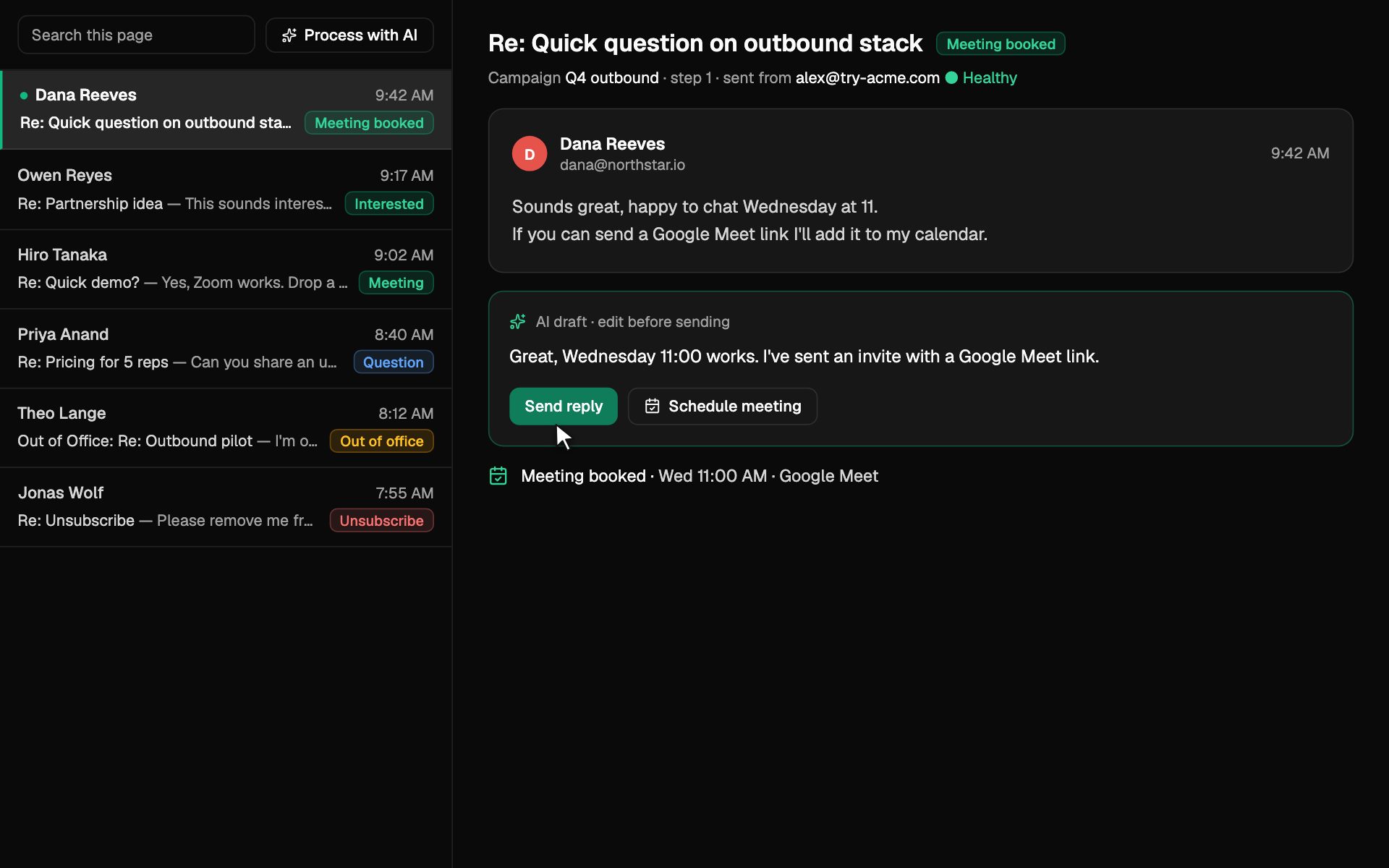
Every reply lands in one inbox, labelled by intent. Answer with an AI draft you edit, and book the meeting from the thread.
- Interested, meeting, question, out of office
- AI drafts you edit before sending
- Book the meeting from the thread
- 4
Measure
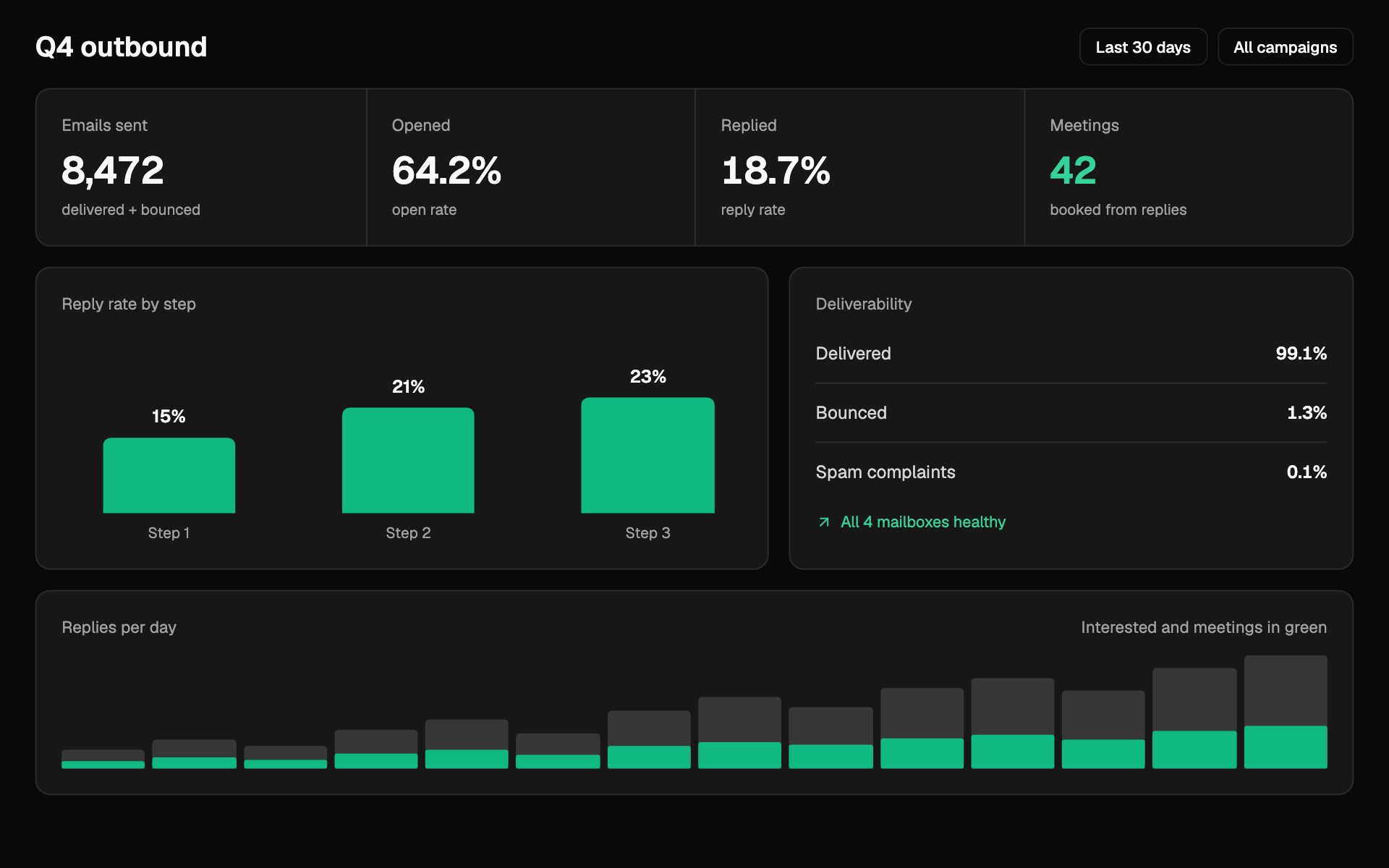
See what happens after you send.
Sent, opened, replied and booked, for every campaign and every step, with deliverability beside it.
- Reply rate by sequence step
- Bounces and spam complaints
- Meetings booked from replies
- 5
Switch
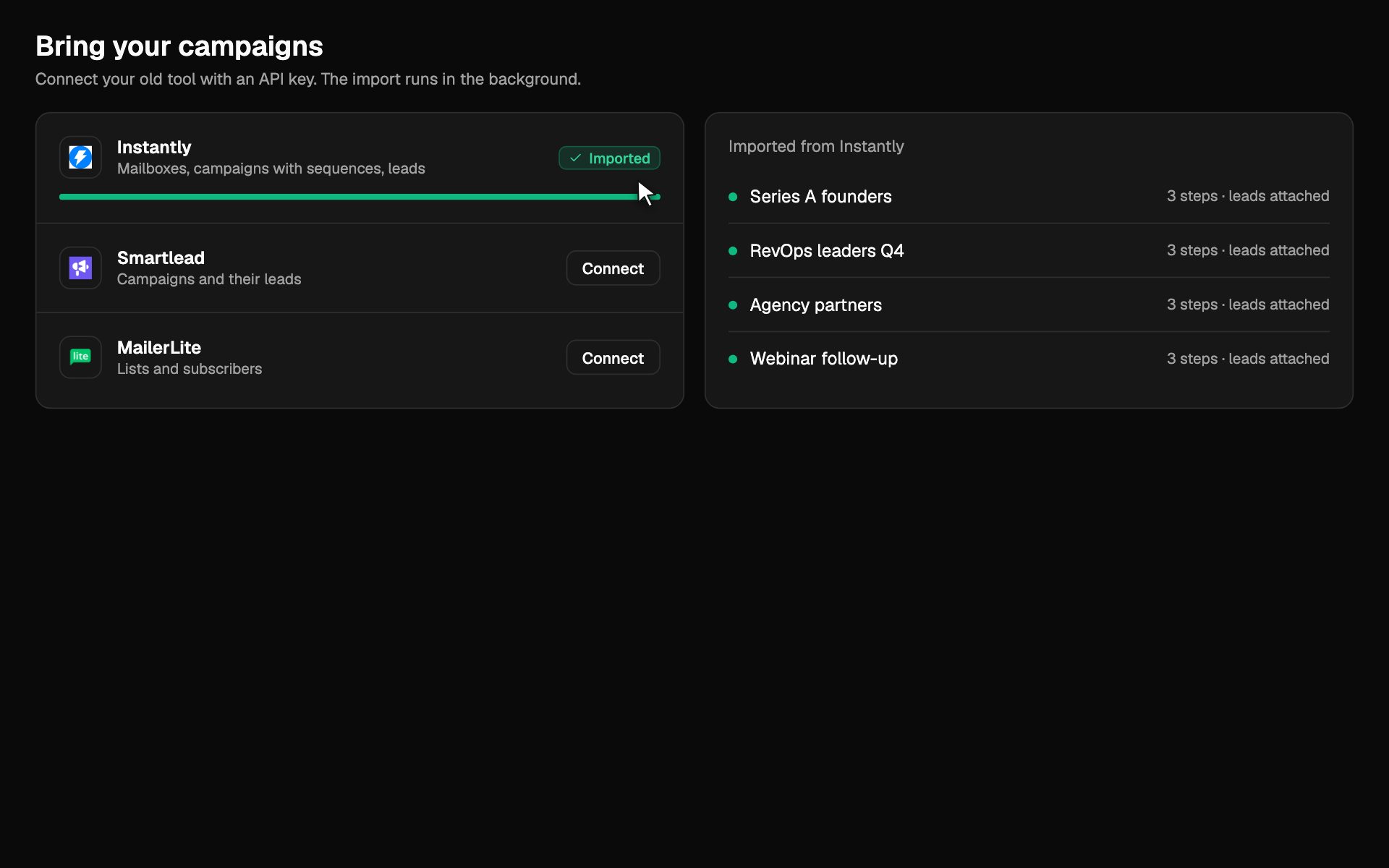
Bring your campaigns with you.
Connect your old tool with an API key. The import runs in the background, and you rebuild nothing by hand.
- Instantly: mailboxes, campaigns with sequences and schedules, and leads
- Smartlead: campaigns and their leads
- MailerLite: lists and subscribers
Also in the box
The rest of the job, handled.
Openers written for you, your CRM kept current, and campaigns you can run from your AI assistant.
To: dana@northwind.io
Hi Dana,
Running sales at Northwind means ramping reps fast. The hard part is keeping their pipeline full while they learn…
Write the first line
AI writes an opener for every lead from their name, company and title.
Keep your CRM current
Two-way sync with Salesforce and Pipedrive. Import from HubSpot and Apollo.
Created “Series A founders”: 3 steps, 214 leads, 4 mailboxes. First send tomorrow at 9:00 in each lead's time zone.
Launch it?
Run it from your AI assistant
Connect Claude, Cursor or Claude Code over MCP to build and launch campaigns in plain words.
Deliverability
The numbers it runs on.
No placement percentage nobody can verify. Just the thresholds the product uses.
- The spam score that holds an email back.
- 2.0
- DNS records checked per domain: SPF, DKIM, DMARC, MX.
- 4
- Between checks for new replies.
- 30 s
- Confidence before an A/B winner is picked.
- 95%
Works with Google Workspace, Microsoft 365 and any SMTP mailbox. Two-factor authentication · SAML and OIDC single sign-on · Audit log · GDPR request and deletion tools · Encrypted mailbox credentials.
Who it is for
Built for the teams who live in outbound.
Do you guarantee my emails will reach the inbox?
What is included in the free trial?
How is Fuzegenai different from Instantly or Smartlead?
Can I bring my campaigns from another tool?
Which mailboxes and tools does it work with?
How many mailboxes can I connect?
Do you help with GDPR?
How do I cancel?
Go to market this week.
Connect a mailbox, bring a list, send your first sequence. 14 days free, no credit card.
14-day trial, no credit card.
- 01
Connect a mailbox with Google or Microsoft.
- 02
Its DNS is checked and warmup begins.
- 03
Import your campaigns, or write a sequence.